|
 |
Trip
Boss
travel manager |
Best Travel App
for
iPhone/iPod
touch
|
for
iPhone
Overview
|
–
Best App Ever 2012
Best Financial app
Trip Boss travel manager
Expense & Budget edition
|
 |
|
 |
|
 |
|
|
|
|
|
Itinerary
edition |
add Expense
&
Budget, and Journal
via in-app purchase |
|
|
|
|
Journal
edition |
add Expense
&
Budget, and Itinerary via in-app purchase
|
|
|
|
|
| Itinerary, Expense
& Budget edition |
includes
two
editions, add Journal
via in-app purchase
|
 |
|
|
Available in
FOUR editions:
✔ Expense
& Budget
TRACK
Expenses
SET
Budgets
CALCULATE
Tips
and
Meal
Cost
Splits
CONVERT
Currencies
Expense tracking that's ideal for the
business traveler, but flexible
enough for going on holiday. The budget
feature is perfect for a family
vacation, or for a business project. It's
international, with built in
real-time currency support and a bonus
currency calculator. You can
even use the tip calculator when you're
not traveling. more
✔ Itinerary:
PLAN
STORE
MANAGE
SHARE
REVIEW
Plan and manage your travel itinerary in
one convenient place, from
micro-plans such as golf outings,
shopping, and snorkeling, to the
basics, like flights, hotels, and
restaurant reservations. Keep track
of everything you plan to do, even daily
route plans, using our
convenient travel time calculator. more
✔ Journal:
Record
MEMORIES
(Personal)
Jot
DETAILS
(Business)
Add PHOTOS
Note
WEATHER
REFLECT
and
REPORT
Keep memories, thoughts, and details of
your trips. Multiple authors
makes a fun way to record family travel
memories from all family
members. Business travelers can use
Journal for documenting details for
trip reports for the boss. more
✔ Itinerary,
Expense & Budget:
MANAGE
Itinerary
TRACK
Expenses
SET
Budgets
CALCULATE
Tips
and
Meal
Cost
Splits
CONVERT
Currencies
Combine both Expense & Budget with
Itinerary to make one super
travel app. The two modules work
together--Enter your flight plans into
Itinerary and quickly send the ticket
expense over to Expenses in just
a few taps. more
on itinerary more on
expense & budget
|
|
Trip
Boss™ travel manager is modular, so you
can add on additional travel
apps via in-app purchase. Each
module helps you manage a
different aspect of your travel.
IAP = in-app purchase
¹ Included with Expense & Budget
² Available separately or as part of the
Expense/Budget module
³ Included with Itinerary module
We're confident you'll eventually want all
the pieces of Trip Boss™
travel manager, but also know you like to
try things first. With that
in mind, we've crafted four versions to
start your travel managing.
Each app has in-app purchase to add the
rest. We recommend picking one
app, then customizing it. While each app is
sold separately, valuable
benefits are gained by sharing & sending
data between modules.
Example: Enter flight and send ticket cost
to expenses, in a few taps. You can't do that
with separate travel apps!
Trip Boss™ is designed to be for Business and Personal, International
and Domestic
travel, so you can manage all your travel
experiences with one app. The app is highly
configurable and flexible, with beautiful
and compelling graphics and
user interface.
All
modules/apps updated for larger
iPhone 5 screen size.
|
Dual Navigation
|
| Trip
Boss™
travel
manager
is
designed
with
dual
navigation
to
provide
extra
features. |
|
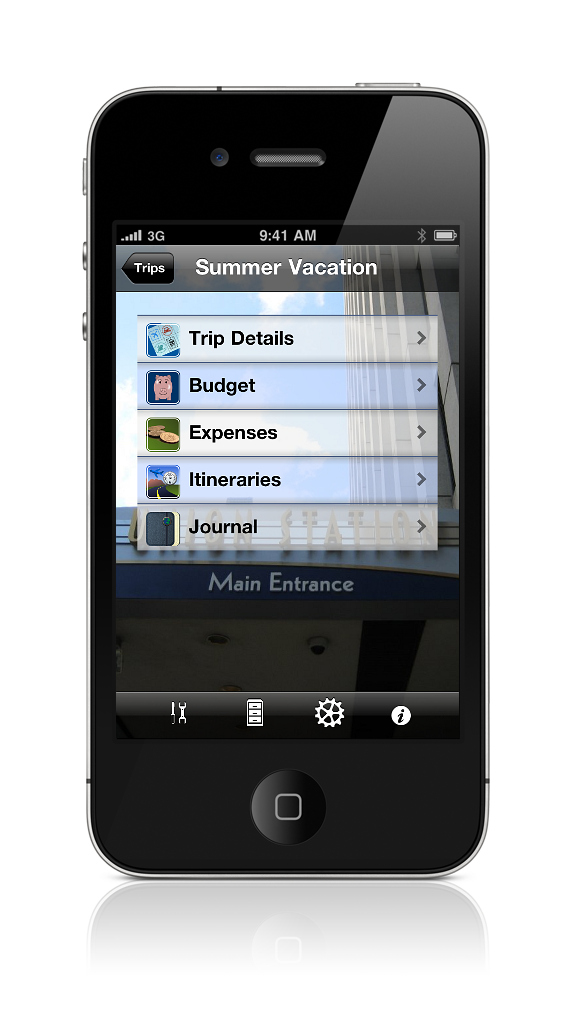
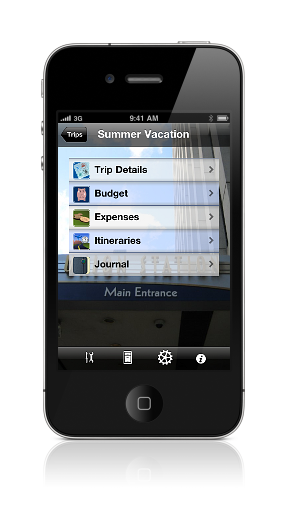
By Trip
Create a trip and navigate between all
purchased modules via the Trips
icon. No need to exit to main screen--even
use the tools
(tip/currency/travel time) by tapping the
tools icon in the lower
toolbar.
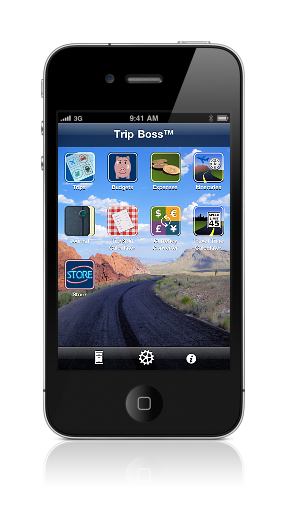
By Module
Prefer to navigate through the modules? Each
module lists all the trips
on a specially designed summary page for
additional at-a-glance
information. Then navigate all trips within
the module.
|
|
|
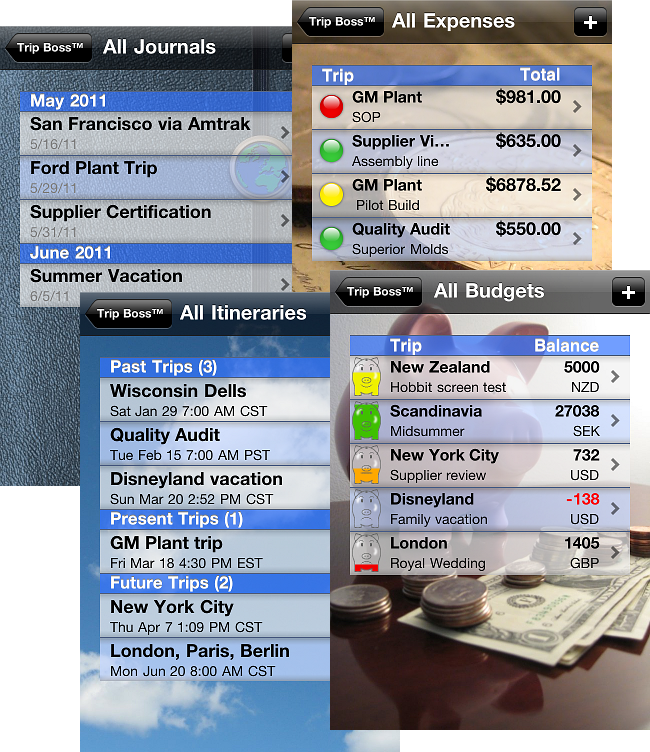
All
Expenses: View reimbursement
status of all trips
All
Budgets: View budget
status of all trips
All
Itineraries:
View
trips
grouped
by
Past,
Present,
Future
All
Journals: View trips
grouped by month/year
|
|
|

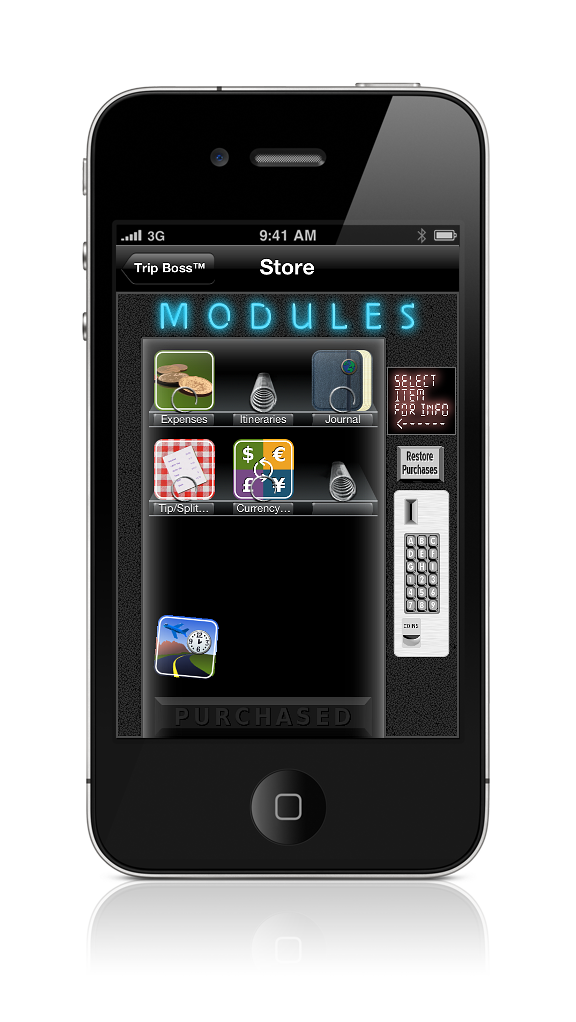
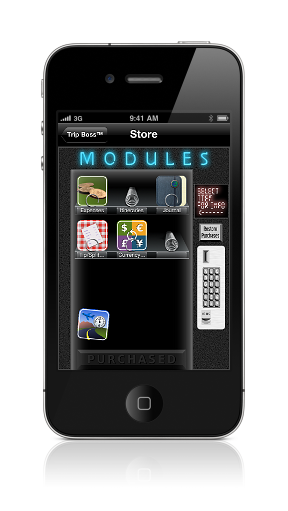
In-App Purchase Storefront
View more information about each
add-on app/module
from within our in-app storefront. Browse
the available modules by
tapping on the icon to view current price
and details. Tap on the price
to purchase modules using your iTunes
account. Purchased modules will
appear at the bottom of the vending
machine.
Restore previous purchases (including ones
made on a different device
with the same iTunes account) by tapping
the Restore Purchases button.
As new modules become available through
updates, they will appear in
the empty slots.
|
 |
|
|
|
|
|
|
|
|